Jump to content
View in the app

A better way to browse. Learn more.

IPS Gizmolord Forum

A full-screen app on your home screen with push notifications, badges and more.

To install this app on iOS and iPadOS
  1. Tap the Share icon in Safari
  2. Scroll the menu and tap Add to Home Screen.
  3. Tap Add in the top-right corner.
To install this app on Android
  1. Tap the 3-dot menu (⋮) in the top-right corner of the browser.
  2. Tap Add to Home screen or Install app.
  3. Confirm by tapping Install.

Featured Replies

Posted
comment_65187

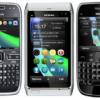
Okay, this is nothing new for the S60V5 crowd, but you can use the same principal to get theme effects of your S60V3 device.

You have to have a hacked phone, ROMPatcher+ and C2Z.

First, extract the attached zip archive and copy Resource to C:\

If you do not already have a C2Z patch, use the sis to make one and move the patch to your Patches folder.

Extract one of the three included default hidden Nokia effects archives to C:\Resource\ (just the effects folder)

Apply C2Z and enjoy.

You can use any set of V5 custom theme effects using this method, too.

To change theme effects you will have to disable effects first, replace them, and then turn them back on again.

http-~~-//www.youtube.com/watch?v=OHEy9SYChEs

http-~~-//www.youtube.com/watch?v=5_pDX5PbWk8

  • 3 weeks later...
  • 4 weeks later...
  • Author
comment_65804

@navratn123 (like the username and the avatar, btw)

i notice that the uploaded files are no longer present and the YouTube embed has been broken... Also i can not edit the post to fix it.

Should all content be linked or can i upload to the forum somehow? Is there a way to embed in posts? Sorry, i have been away for a while =oP


Link: http://www.4shared.com/zip/ogT2nmbg/Effects.html

Edited by matthewkuhl

Join the conversation

You can post now and register later. If you have an account, sign in now to post with your account.
Note: Your post will require moderator approval before it will be visible.

Guest
Reply to this topic...

Configure browser push notifications

Chrome (Android)
  1. Tap the lock icon next to the address bar.
  2. Tap Permissions → Notifications.
  3. Adjust your preference.
Chrome (Desktop)
  1. Click the padlock icon in the address bar.
  2. Select Site settings.
  3. Find Notifications and adjust your preference.